
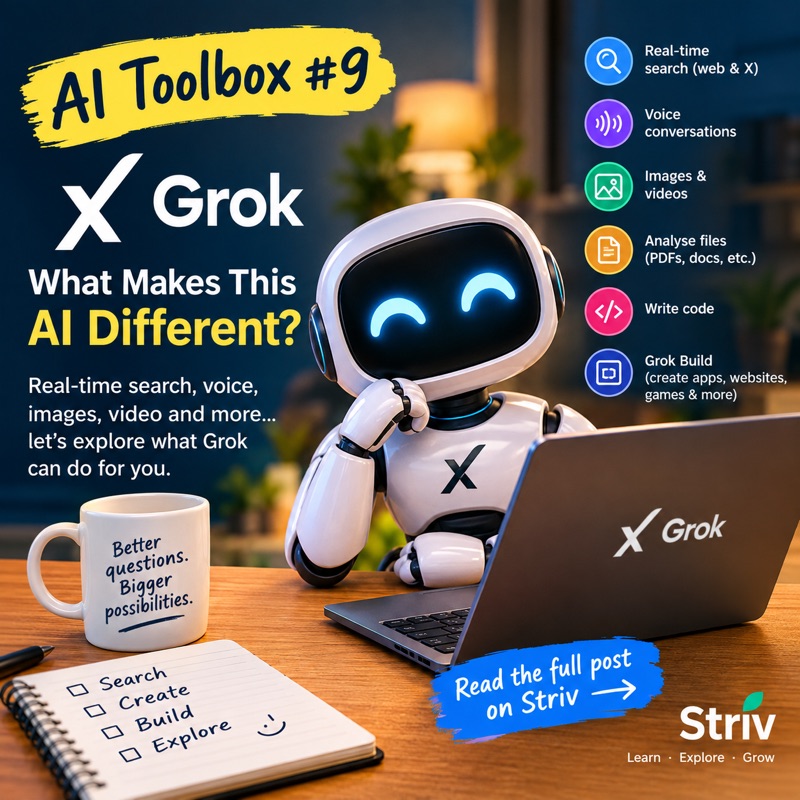
If you have been following the AI Toolbox series, you may have started to notice something.
ChatGPT can answer questions. Claude can write. Gemini can research. Copilot can help with Microsoft products. Perplexity can search the web.
So, when another AI comes along, you might reasonably ask: “What does this one do differently?”
This week, we’re looking at Grok, the AI assistant developed by xAI.
And yes, Grok can do many of the things the other big AI assistants can do. But there are a few things that make it worth knowing about.
So, what exactly is Grok?
Grok is an AI assistant available on the web, iPhone and Android. You can use it to ask questions, write and rewrite text, research subjects, analyse documents, create images and videos, write code and even have a voice conversation with it. (SpaceXAI)
It is available to try for free, although paid SuperGrok plans provide higher usage limits and additional features. (SpaceXAI)
So far, nothing sounds particularly unusual.
Here’s where it gets more interesting.
Grok can search what is happening now
One of Grok’s biggest selling points is its connection to real-time web search and X.
Instead of relying only on information it was trained on, Grok can search the web and X for current information. That can be useful when you’re asking about something that has happened recently—a news story, a developing event, a current trend or what people are saying about a particular subject. (SpaceXAI)
Of course, real-time information doesn’t automatically mean correct information.
Grok can still get things wrong, and information circulating on social media can be wrong too. So if something is important, check the original source.
But having live search built into the assistant is certainly useful.
It can see, hear and create
Grok isn’t limited to text.
You can upload things such as PDFs, spreadsheets, images, screenshots and code for it to analyse. You can also talk to Grok using voice rather than typing everything. (Grok API Documentation)
And then there’s Grok Imagine.
You can use it to create images and videos from text prompts, and you can continue refining the result through the conversation. xAI currently advertises image generation and video generation as part of Grok’s capabilities. (SpaceXAI)
So you could start with:
“Create an image of a small African village at sunset.”
Then ask it to change the weather, the clothing, the viewpoint or the atmosphere without necessarily starting all over again.
That’s becoming increasingly common among AI tools, but having chat, search, image and video creation together makes Grok quite a broad toolbox in its own right.
Now here’s the interesting bit: Grok Build
This is probably the feature that caught my attention most.
Grok Build allows you to describe an app, website, game or interactive dashboard and Grok can build a working version for you.
You don’t have to start by writing computer code.
For example, you could tell Grok:
“Build me a simple website for my book. Include the book description, an author section and a button linking to Amazon.”
Grok Build can create a working version inside the conversation. You can then tell it what you want changed.
“Make the heading bigger.”
“Change the layout.”
“Add a contact section.”
“Make it look more professional.”
According to xAI, Grok Build is now available on every plan, including on the web, iOS and Android. Projects can also be published and shared, and more advanced options include connecting data and exporting projects to GitHub. (SpaceXAI)
Now, I’m not suggesting that everyone reading this is suddenly going to become a software developer.
But this is where AI starts becoming rather interesting for ordinary people.
You don’t necessarily need to know how something is built before asking AI to help you build it.
Could I actually use Grok?
Absolutely.
You could use Grok for something as simple as:
Writing:
“Rewrite this letter so it sounds polite but firm.”
Research:
“Find out what has happened recently with this subject and give me the sources.”
Documents:
“Read this PDF and explain the important points in simple English.”
Ideas:
“Give me ten realistic ideas for a small side business that I could start around my existing job.”
Images:
“Create a realistic image for a Facebook post about my new book.”
Voice:
Talk to Grok instead of typing your question.
Building:
“Create a simple website for my business.”
And if you’re curious about coding, you can go much further.
Grok 4.6 is designed for more complicated, multi-step tasks, including research, coding and building applications. Grok’s more advanced agent capabilities can also break larger jobs into smaller tasks and work on them in parallel. (SpaceXAI)
But do I need another AI?
That’s the question I’ve been asking throughout this series.
The honest answer is: probably not.
You don’t need every AI assistant available.
If you already use ChatGPT and it does everything you need, there may be no reason to move your everyday work to Grok.
But that isn’t really the purpose of the AI Toolbox.
We’re looking at these different tools so that ordinary people can discover what is actually available.
You may find that you prefer one assistant’s way of answering questions. Someone else may prefer another. And a particular tool may have one feature that is especially useful to you.
That’s why it’s worth knowing what’s out there.
Free or paid?
Grok has a free option, so you can try it without immediately paying for a subscription. The current free plan includes access to real-time web and X search and voice mode, although usage is limited. Paid SuperGrok plans provide higher limits and access to additional capabilities. (SpaceXAI)
For someone simply curious about Grok, I’d start with the free version.
There is no point paying for something before you know whether you will actually use it.
My verdict
Grok is certainly more than another chatbot.
Its combination of real-time search, X integration, voice, document analysis, image and video creation, reasoning and Grok Build makes it a fairly broad AI assistant. (SpaceXAI)
But here’s the important bit.
Don’t use Grok simply because it’s Grok.
Try it. Ask it something you actually need help with. Give it a document. Try a voice conversation. Ask it to search for something happening today.
And if you’re feeling adventurous, ask it to build something.
You might be surprised by what happens.
The AI Toolbox continues next week…


No comments:
Post a Comment